Obtaining models
There are two main artifact types for DENKflow users.
.denkflow: Complete exported pipelines
A .denkflow file contains the full pipeline configuration and the export target selected in the Vision AI Hub.
Use .denkflow when you want:
- the easiest deployment path
- preconfigured preprocessing and postprocessing
- quantized exports such as Intel CPU/GPU/NPU, DirectML QDQ, or TensorRT INT8
- less custom runtime wiring in your application
How to get a .denkflow file
- Train or select a network in the Vision AI Hub.
- Request or confirm a valid license.
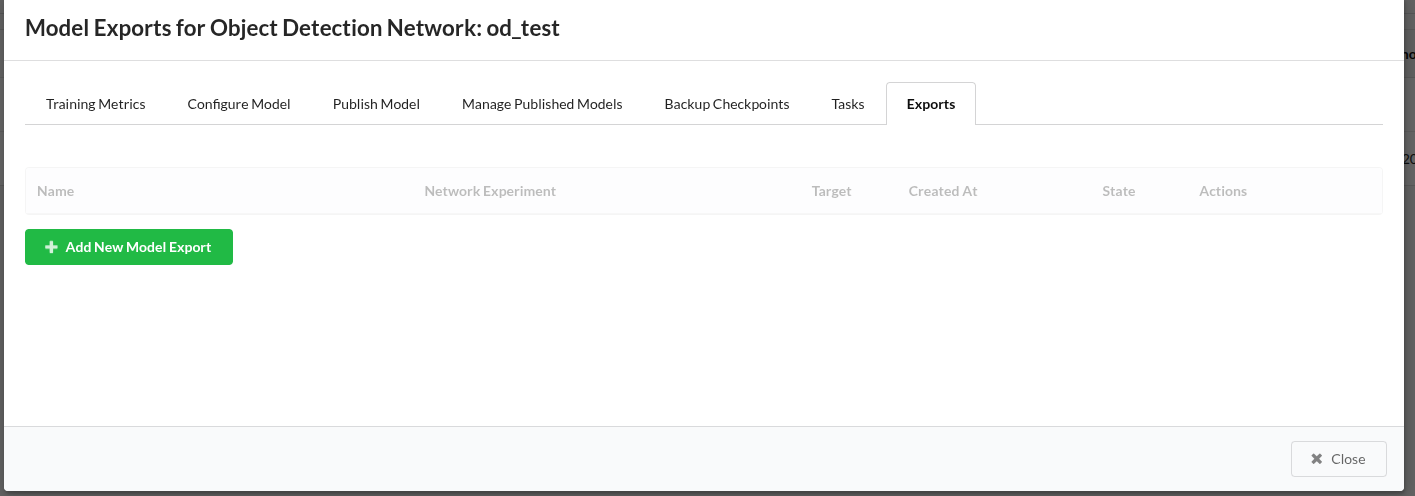
- Open the model details page.
- Open the
Exportstab. - Click
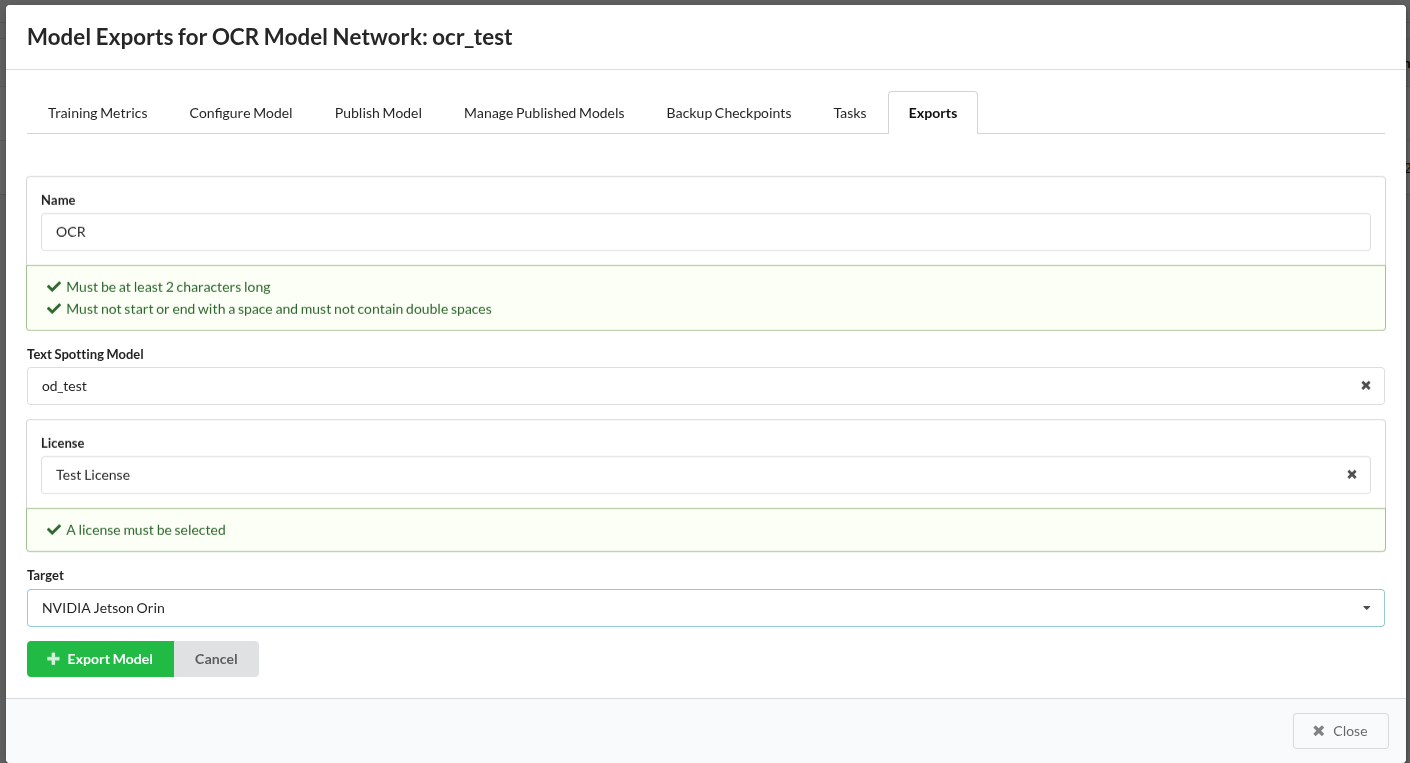
Add New Model Export. - Choose the export target that matches your deployment hardware.
- Wait for export creation.
- Download the generated
.denkflowfile.
Typical export targets
Examples include:
CPU_FP32_ONNXCUDAINTEL_CPUINTEL_GPUINTEL_NPUDIRECTML_FP32_ONNXDIRECTML_INT8_QDQ_ONNXINT8_NVIDIA_GPU_TENSORRTINT8_NVIDIA_JETSON_TENSORRT
Pick the export target based on your deployment machine, not on your development workstation.
.denkmodel: Individual models for custom pipelines
A .denkmodel file is the right choice when you want to build your own pipeline graph.
Use .denkmodel when you want:
- custom routing between nodes
- custom pre- or post-processing logic
- manual runtime selection in code
- multiple models in a hand-built pipeline
How to get a .denkmodel file
- Open the network details page in the Vision AI Hub.
- Use
Download Network. - Save the
.denkmodelartifact locally.

Important difference
.denkflowcan represent quantized export targets.denkmodeldownloads are currently intended for custom pipeline assembly and are not the main path for Hub-driven quantized deployment
If you are unsure which artifact to choose, use .denkflow.