Ready-to-use OCR package
The downloadable ready-to-use package is Python-specific. It includes the Python example scaffolding, models, images, and example Dockerfile:
- Python
- C#
- C / C++
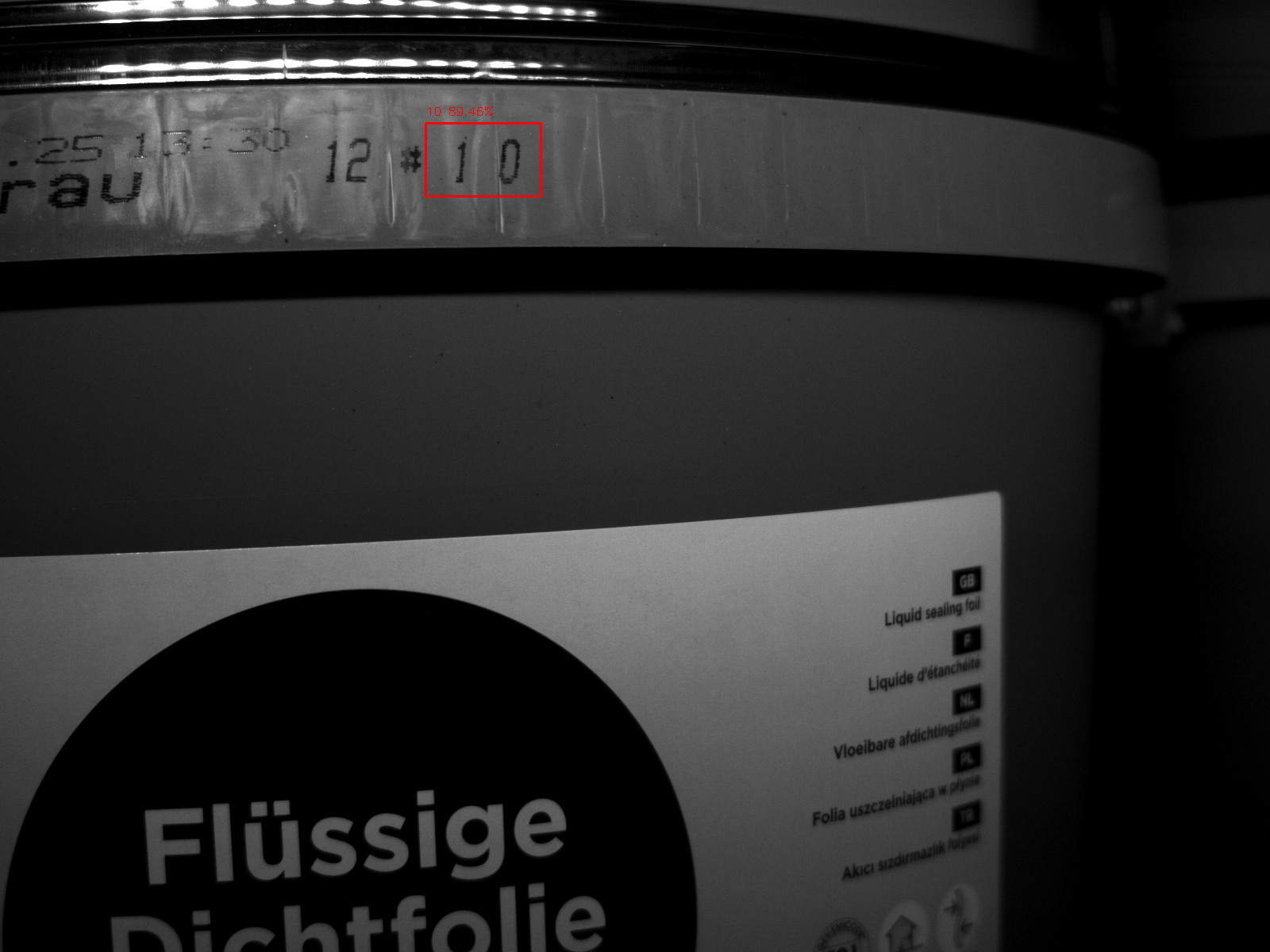
It runs the following script:
from denkflow import Pipeline, ImageTensor
import cv2
import os

## constants
image = "image.bmp"
model_file = "ocr.denkflow"  # "ocr_jetson_or_nvidiagpu.denkflow" <- for jetson or nvidia gpu usage
pat = "YOUR-PAT"

### pipeline init and subscribe
pipeline = Pipeline.from_denkflow(
    model_file,
    pat=pat,
)

print(pipeline)
pipeline.initialize()

detection_receiver = pipeline.subscribe(
    "bounding_box_filter_node/filtered_bounding_boxes",
)
text_receiver = pipeline.subscribe("ocr_node/output")

### pipeline run
print(f"image: {image}")
image_tensor = ImageTensor.from_file(image)

# For in-memory image data such as NumPy arrays, see the Creating ImageTensors guide:
# ../advanced/creating-image-tensors.md

pipeline.publish_image_tensor("/image", image_tensor)
pipeline.run()
## receive detections and texts
boxes = detection_receiver.receive_bounding_box_tensor().to_objects(0.5)
texts = text_receiver.receive_ocr_tensor().to_objects()

## draw
image_np = cv2.imread(image, 1)
height, width = image_np.shape[:2]
for box, text in zip(boxes, texts):
    x1 = int(box.x1 * width)
    y1 = int(box.y1 * height)
    x2 = int(box.x2 * width)
    y2 = int(box.y2 * height)
    conf = box.confidence
    cv2.rectangle(image_np, (x1, y1), (x2, y2), (0, 0, 255), 2)
    cv2.putText(
        image_np,
        f"{text} {conf * 100:.2f}%",
        (x1, y1 - 10 if y1 > 20 else y1 + 20),
        cv2.FONT_HERSHEY_SIMPLEX,
        0.5,
        (0, 0, 255),
        1,
    )

# Save the image to the output folder
os.makedirs("output", exist_ok=True)
output_path = f"output/{image.split('/')[-1]}"
cv2.imwrite(output_path, image_np)
print(f"Successfully wrote output to {output_path}")
There is currently no equivalent ready-to-use C# download. With a compatible
OCR .denkflow export and input image, use the managed
SimplifiedPipeline OCR example. The following C# equivalent also
saves the annotated result without requiring an external drawing library:
using DenkFlow;

using var license = HubLicenseSource.FromPat("YOUR-PAT");
using var pipeline = Pipeline.FromDenkflow("ocr.denkflow", license);
using var simplified = new SimplifiedPipeline(pipeline);
using var image = ImageTensor.FromFile("image.bmp");

Directory.CreateDirectory("output");
var options = new AnnotationOptions(
    LabelFontSize: 16,
    BoundingBoxLineWidth: 2,
    SavePath: "output/image.bmp");

using ImageInferenceResults results =
    simplified.Run(image, confidenceThreshold: 0.5f);
ImageData annotated = image.ToImagesWithAnnotations(results, options);

foreach (ImageInferenceResult imageResult in results)
{
    foreach (InferenceResult result in imageResult.Results)
    {
        foreach (InferenceResult subResult in result.SubResults)
        {
            if (subResult.Text is string text)
            {
                Console.WriteLine(text);
            }
        }
    }
}
The ready-to-use OCR package above is Python-specific. For the equivalent C / C++ workflow, see the OCR example.